

What a concept statement does
To write an interior design concept statement, state the one idea that drives the space, then show how the customer's journey, the materials and the light carry it. Keep it to 100 to 250 words, in plain prose, with no jargon the client would have to ask about.
It is the paragraph that sits on a board or a pitch slide and tells a client why the store looks the way it does. Writing it well takes practice, and writing it quickly takes a draft to react to. Concept Statement is a free tool in the RetailDesign.ai Tools workspace that writes that first draft from your brief.
Benefits
- A draft in seconds. It usually takes 5 to 10 seconds, so you spend your time editing, which is where the quality comes from.
- It is free. It is a free text tool. Write as many versions as you like without spending credits.
- You set the length. Choose 100, 150 or 250 words to fit a board caption, a slide or a brief.
- You set the voice. Choose Retail designer, Brand strategist or Architect, depending on who will read it.
- You choose the words it must hit. A field for Words it should hit lets you put in your own language, such as “threshold, daylight, craft”.
- It stays on topic. The tool is asked for the idea, the customer journey, the materials and the light, in plain English with no headings or bullet points, so what you get is already shaped like a concept statement.
What goes in one
A good retail concept statement answers four questions, in about this order.
- What is the idea? One sentence a client can repeat. “A store that turns testing into a ritual” works. “A modern, premium space” does not.
- How does the customer move through it? Where they arrive, what they see first, where they slow down.
- What is it made of? Two or three materials, and why they suit the idea.
- How is it lit? Daylight, warm accents, a bright counter. Light is part of the concept, not an afterthought.
Anything that does not serve the idea can go on the specification sheet instead.
How to use Concept Statement
- Open the tool from the Tools workspace and choose Concept Statement, under Write.
- Describe the project. In the Describe the project box, give the site, the customer, the materials and the mood. For example: “a 120 m² sneaker flagship on a busy high street, concrete and oak.”
- Add the words it should hit, if you have them.
- Choose a length and a voice. 100, 150 or 250 words; Retail designer, Brand strategist or Architect.
- Press Write concept and read the result. Use Copy to paste it into your board, deck or brief.
Try this brief: “A 90 m² skincare and fragrance store, pale stone, white oak, soft daylight.” Words it should hit: ritual, daylight, touch. Length: 150 words. Voice: Retail designer. Then run it again as Brand strategist and compare the two. The same brief reads very differently when the voice changes, and one of them is usually closer to your client.
A real example
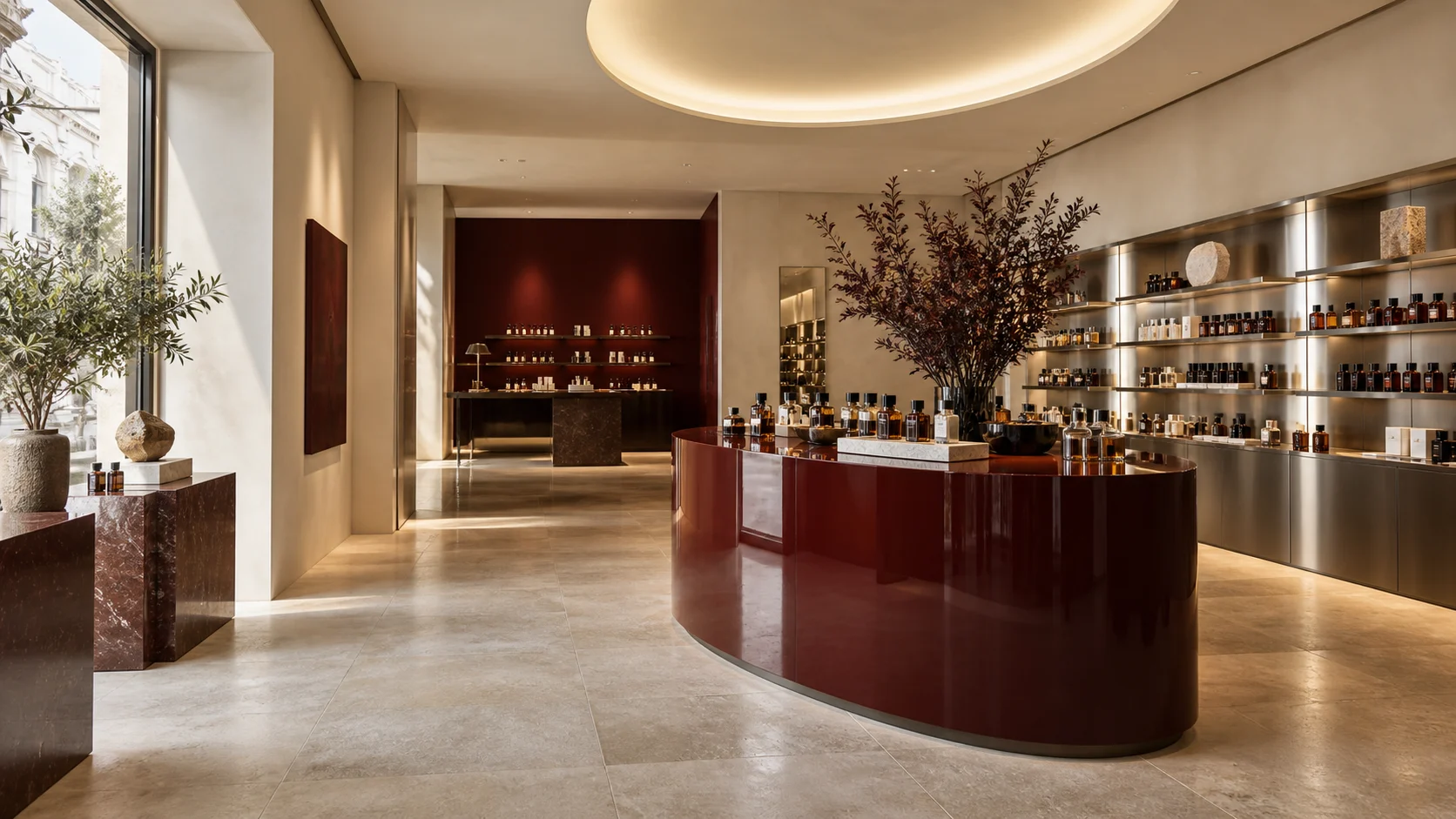
This is the example we show in the tool. The brief was: 90 m² skincare and fragrance store, pale stone, white oak, soft daylight; words: ritual, daylight, touch. The text below was written by Concept Statement from that brief.
Our design for this city-centre skincare and fragrance store centers on creating an oasis for tactile discovery. The concept elevates the act of product testing into a personal ritual, encouraging unhurried exploration and genuine connection. Customers embark on a serene journey, guided by subtle cues that invite them to engage intimately with textures and aromas. The material palette, featuring cool, grounding pale stone alongside the warmth of finely worked white oak, provides a sophisticated yet natural backdrop that begs to be touched, enhancing the sensory experience. Soft, diffused daylight is paramount, meticulously designed to wash over display areas, revealing true product tones and fostering a sense of calm and clarity essential for thoughtful selection. This considered environment allows for an authentic, personal interaction, transforming the decision-making process into an indulgent moment of self-care.
It is a good draft, and it shows what to edit. The idea, the journey, the materials and the light are all there, in order. It is also a little generic: phrases like “serene journey” could describe any store. That is your cue to replace them with something only your project could say, such as the actual entrance, the actual stone, the actual window.
Tips
- Be specific in the brief. The statement can only be as specific as what you give it. Name the site, the customer and two materials.
- Pick words you would actually say. The words it should hit steer the draft. Avoid generic ones like “premium”.
- Edit the first line by hand. It is the one the client remembers.
- Add the brand name yourself. The tool is told not to invent one, so the draft will not name your client.
- Back it with images. A statement lands harder next to a zone-by-zone mood board that shows the same idea.
Limits
It writes from your brief, not from your drawings. It does not know your floor plan, so it cannot describe the actual customer route unless you tell it. A statement should be true of the real design, so check each sentence against the scheme before you present it.
It writes the story. It does not make the images. To see the idea, try Imagine, or build the space in Design Studio. When you are ready to write, open Concept Statement and paste in your brief.
FAQ
What is a concept statement in interior design?
A concept statement is a short piece of writing that explains the idea behind a design: what the space is trying to do for its customer, and how the materials, light and layout deliver it. Designers put it on boards, in decks and at the start of a brief.
How long should a design concept statement be?
For a retail project, 100 to 250 words is usual: enough for the idea, the customer journey, the materials and the light, and short enough to sit on one board or slide. The Concept Statement tool offers 100, 150 and 250 words.
Does the Concept Statement tool cost credits?
No. It is a free text tool in the Tools workspace. You need to be signed in, and you can write as many drafts as you like.
Can I use the AI draft as it is?
Treat it as a draft. It writes from what you tell it, so it can only be as specific as your brief. Check every claim against the actual design, change anything that is not true of your store, and add the brand name, which the tool leaves out on purpose.


